

DevHub · Features
Organizations and projects
DevHub arranges your work in three levels. An organization is a business or ownership context, such as a company or a team. A project is one repository you work on and belongs to an organization. An MCP folder is a folder on your disk that belongs to a project; it is what agents can open.
When to use it
Section titled “When to use it”- You add the first folder, and DevHub asks for an organization and a project.
- You work for more than one company or team and want knowledge kept apart. Business Context never mixes two organizations in one answer.
- You want to switch a folder off for agents without deleting anything.
Organizations
Section titled “Organizations”Open Organizations in the sidebar.
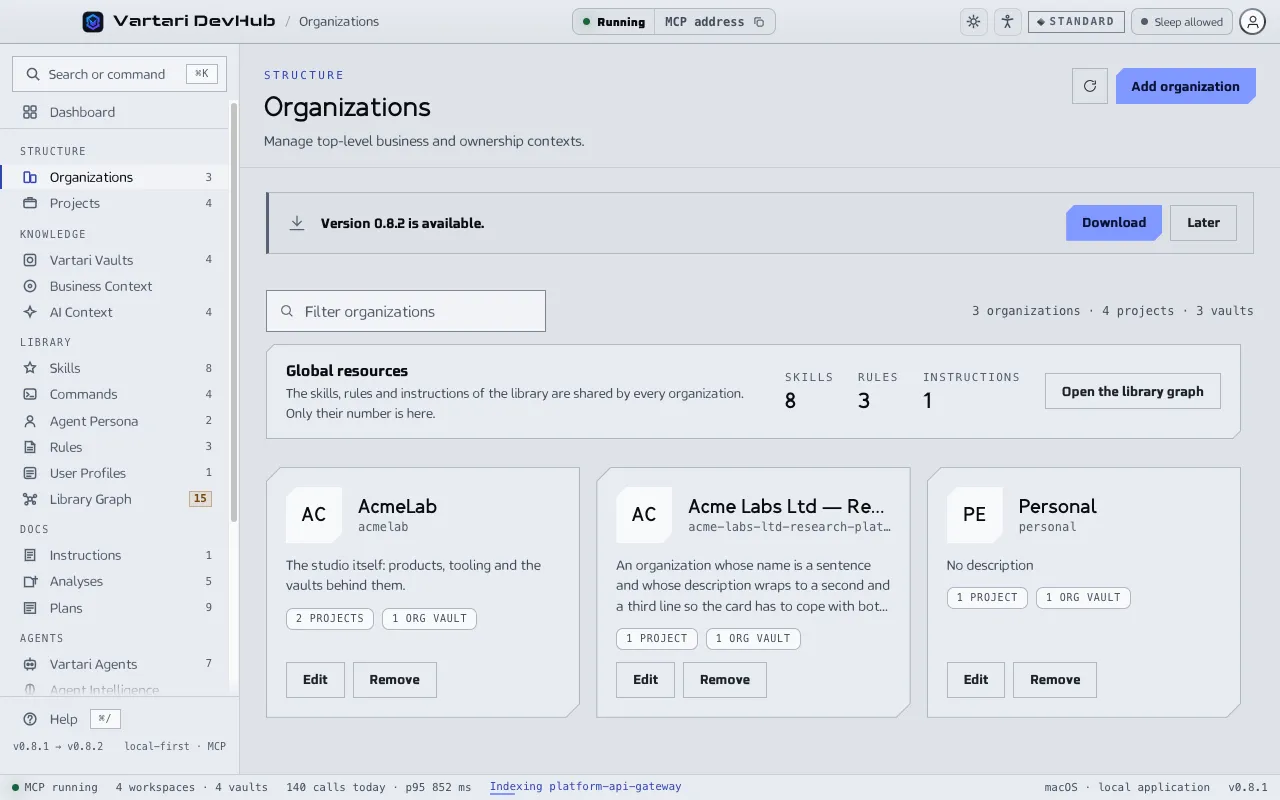
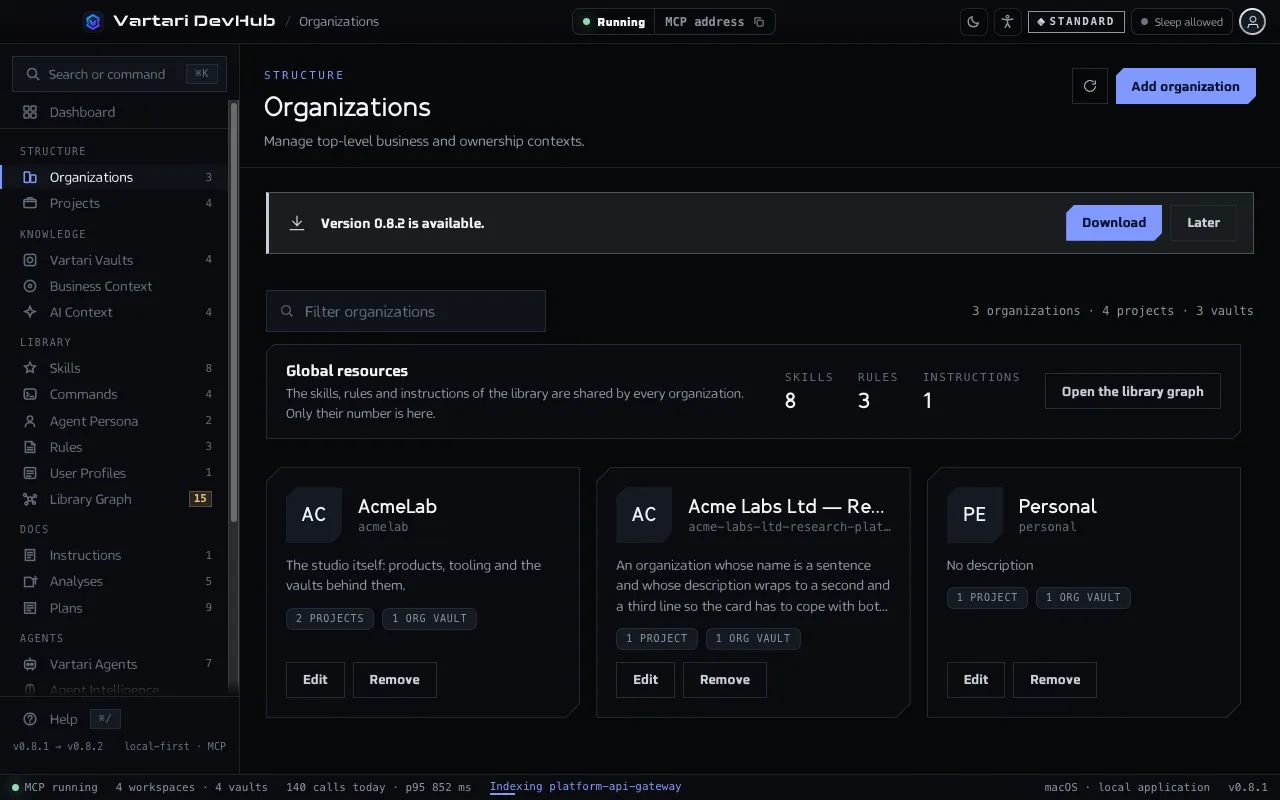
- Click Add organization.
- Enter a name and, if you want, a description and a Logo.
- Click Create.
Each card shows the number of projects and of vaults of the organization; click either to see them. Edit and Remove are on the card. An organization cannot be removed while projects or vaults still belong to it. The Global resources card reminds you that skills, rules and instructions of the library are shared by every organization.
Projects
Section titled “Projects”Open Projects in the sidebar.
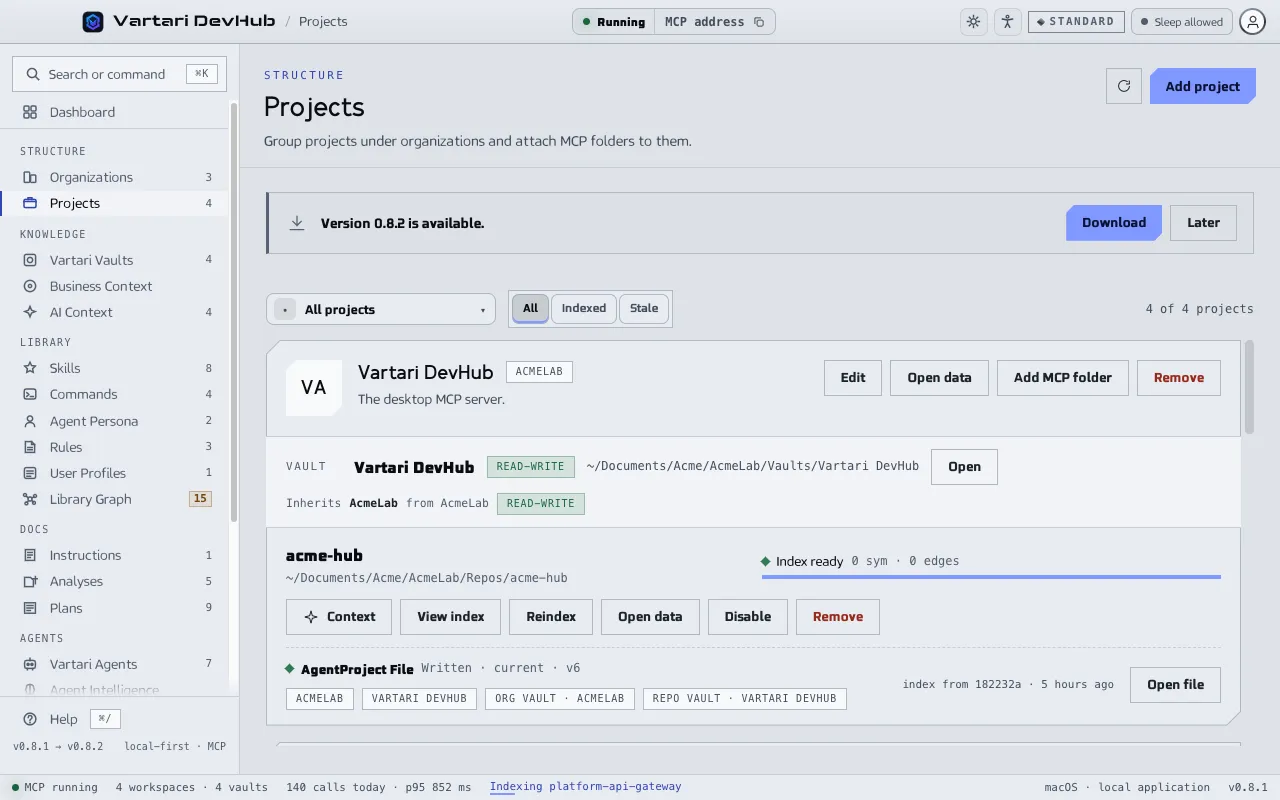
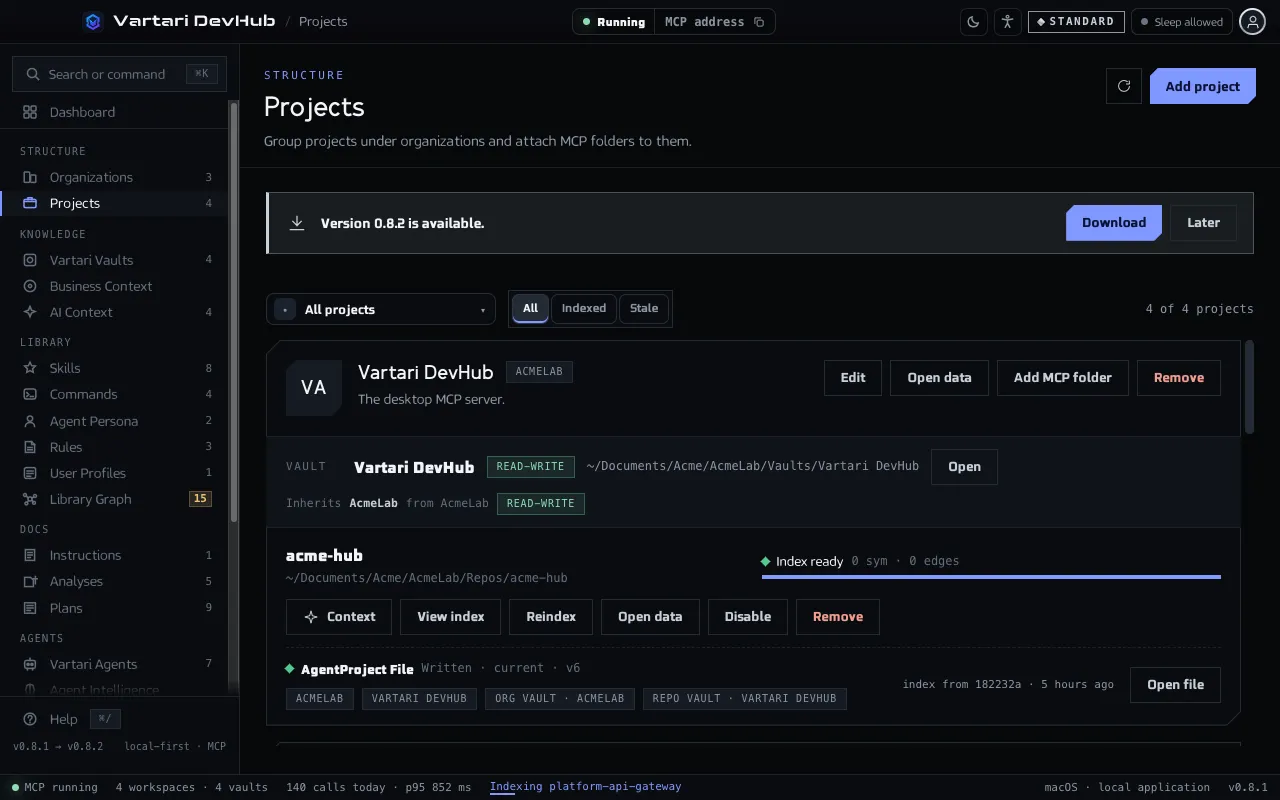
- Click Add project. A project belongs to an organization, so add one first if you have none.
- Enter a name, choose the Organization and, if you want, add a description and an Icon.
- Click Add MCP folder on the project card and choose the folder of the repository.
A project card shows:
- the Vault of the repository, with Open or Create, and the organization vault it Inherits from. See Vaults;
- each MCP folder with the state of its repository index: Index ready, Index stale, Not indexed, and so on, with Analyze, Refresh index, Reindex or View index as fits;
- Context, which adds the index overview to AI Context;
- Disable or Enable, which switches the folder off or on for agents, and Remove.
Use the filters All, Indexed and Stale to narrow the list.
What removing does
Section titled “What removing does”Removing a folder, a project or an organization removes the entry in DevHub. It does not delete the folder or the notes on your disk. A project cannot be removed while MCP folders or vaults are still attached to it.